Start free — Upgrade Anytime

Add Powerful Fields & Advanced Features to Contact Form 7

Boost Contact Form 7 with extended features, better functionality, and easy customization options via Booster for Contact Form 7.

Advanced Fields 20+ fields types
Smart Features Powerful & intuitive
Secure & Reliable Trusted by 10k+ users
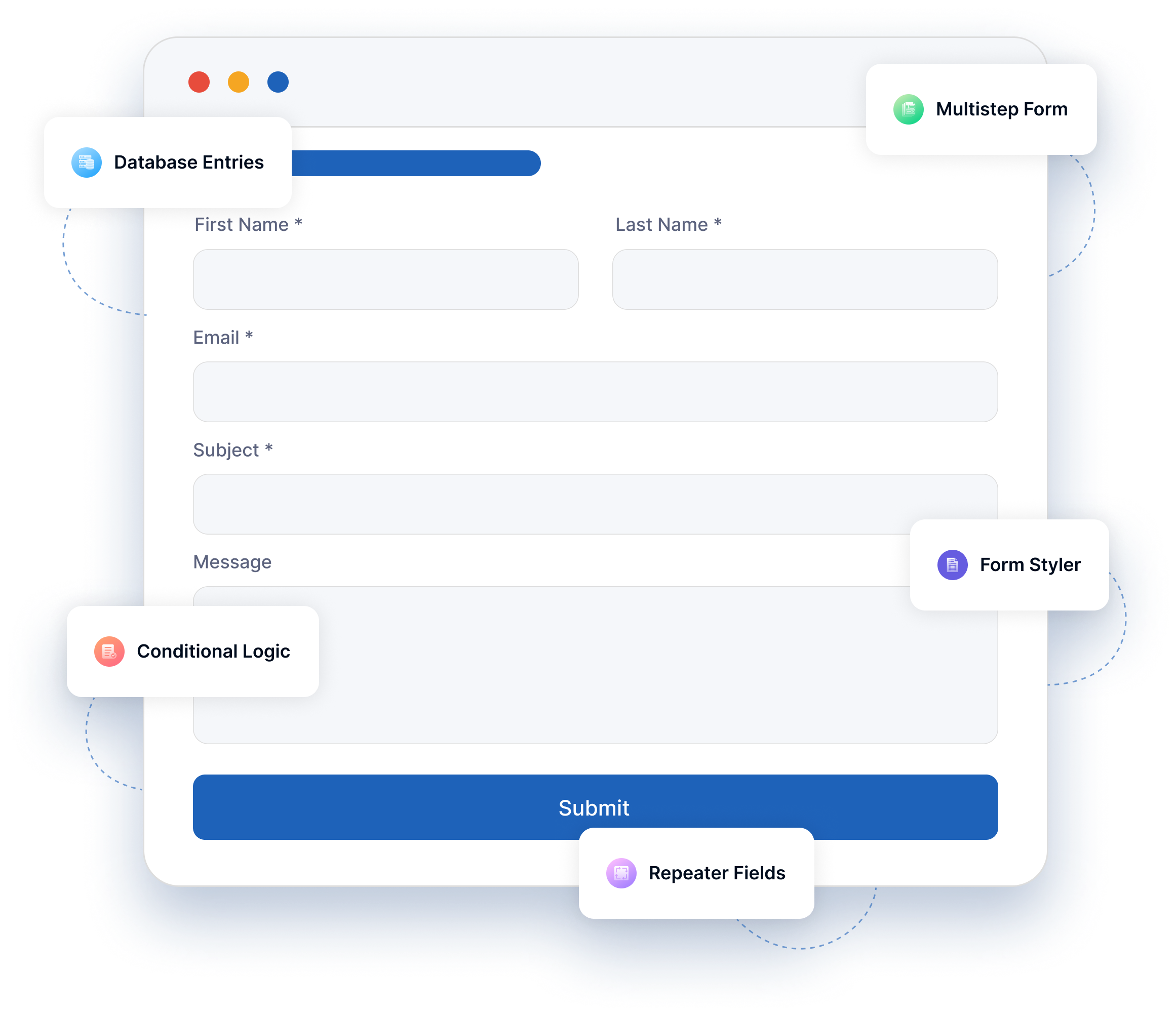
Powerful Features to Upgrade Contact Form 7

Discover powerful extensions for Contact Form 7 that enhance form features and improve user experience.

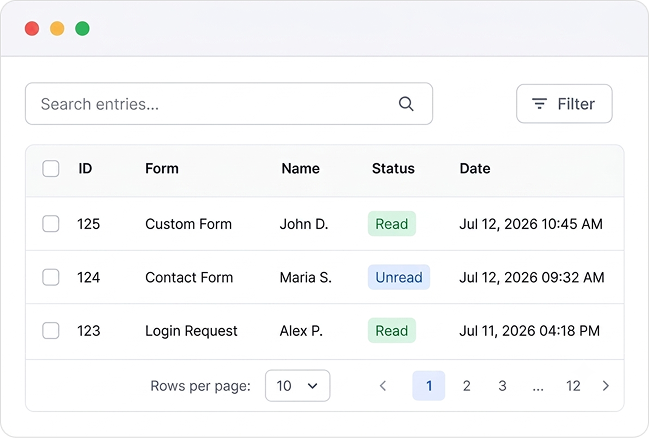
Database Entries Database Entries

Collects all form submissions and stores them in the WordPress admin area. Admins can easily view and manage entries. It helps track every submission.

Database Entries

Multistep Form Multistep Form
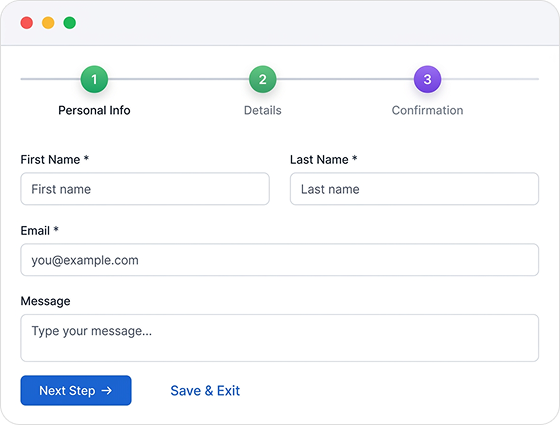
Breaks complex forms into smaller, manageable steps. This makes long forms less daunting and more user-friendly. Ideal for detailed surveys and applications.

Multistep Form

Columns layout Columns layout
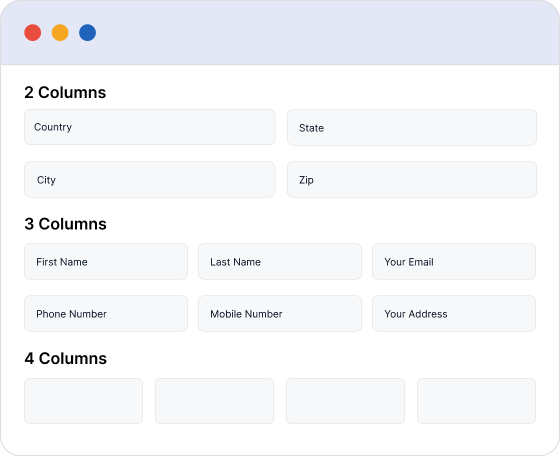
Allows manual customization of form layouts into columns. This helps create multi-column forms and keep information well organized.

Columns layout

Form Generator Form Generator
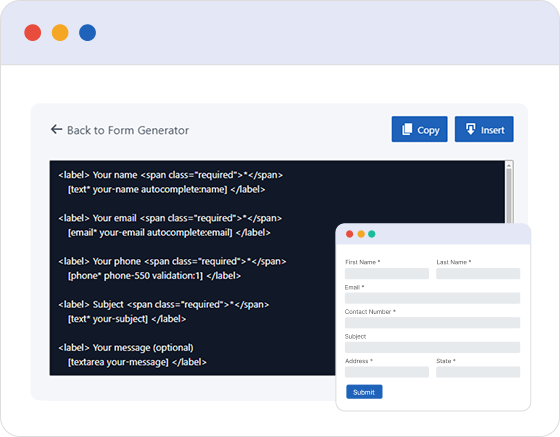
The Form Generator helps you build stunning, customized forms instantly. With a single click, transform ideas into ready-to-use forms that save time and effort. Perfect for any need, anytime.

Form Generator

Form Templates Form Templates
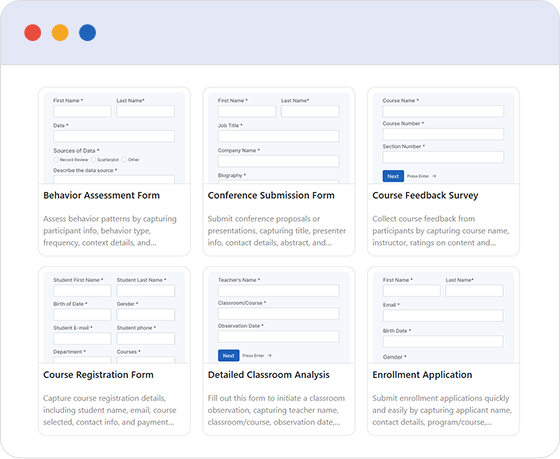
Select from pre-designed form templates to improve your forms’ appearance and functionality. Create professional, attractive forms instantly with a single click.

Form Templates

Conditional Logic Conditional Logic

Dynamically shows or hides form fields depending on user input, making forms more concise and relevant. It supports fields like dropdowns and sliders.

Conditional Logic

Repeater Fields Repeater Fields
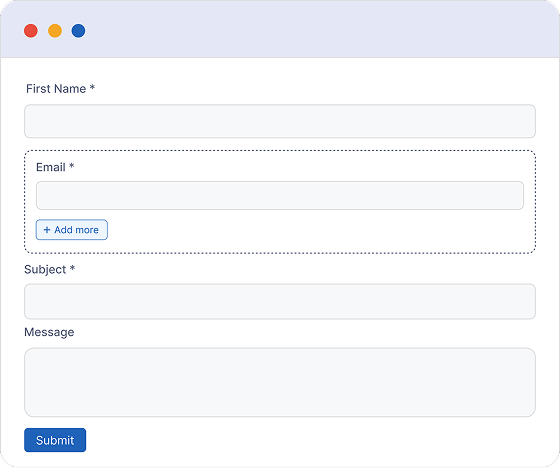
Enables duplication of form fields such as text inputs, file uploads, or checkboxes. Helpful for collecting multiple similar entries.

Repeater Fields

Conversational Forms Conversational Forms
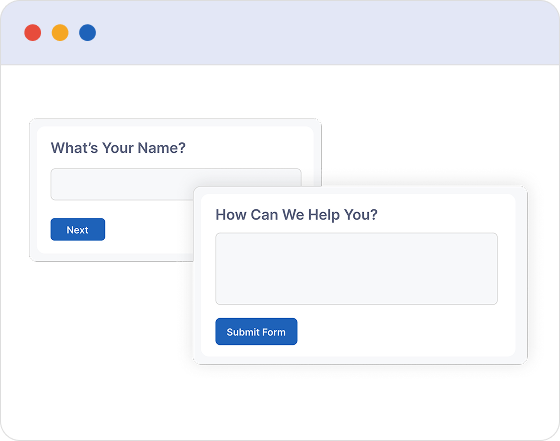
Create conversational forms that feel more natural and engaging, helping increase user interaction like never before.

Conversational Forms

Collect advanced and specialized data using next-level custom fields.

Improve data collection efficiency with Booster for Contact Form 7 enhanced custom field options, built to capture detailed and specialized information effortlessly while submitting forms.

Address

Adds a dedicated text field to collect address details while submitting the form.

Math Captcha

Integrates a dynamic math challenge to prevent spam during form submission

Dynamic Text

Displays dynamic website data within forms by retrieving it automatically, useful for hidden fields.

Submission ID

Adds a unique ID input field to each form submission for easy tracking.

Country List

Offers a dropdown menu of countries for quick and easy selection.

Phone

Includes a specialized field for collecting phone numbers.

Date and Time

Supports input of both date and time in a single form field.

Range Slider

Provides a slider field for choosing a range of values with better interaction.

Star Rating

Enables users to submit a star rating through a dedicated field.

Google Drive Upload

Adds a file upload field that integrates directly with Google Drive for submissions.

Honeypot

Includes a hidden input field to detect and block spam submissions.

Custom HTML

Includes a hidden input field to detect and block spam submissions.

Color Picker

Enables users to choose colors using a dedicated color picker tool.

Repeater Fields

Provides the ability to duplicate specific form fields as permitted by the admin.

Shortcode

Provides a shortcode for easily inserting the form into various pages.

Action Hook

Lets you extend forms by including extra content via predefined hooks.

Section Break

Includes a visual break that helps separate different parts of the form.

File Upload

Provides a file upload option for submitting documents and other non-image files.

Integrated with Your Useful Tools

Designed for better workflows, Booster for Contact Form 7 connects with your daily tools, improving functionality and offering a flexible option for any website.

powerful-features-img

What People Think About Our Products

We ensure high-quality products to help customers recognize and appreciate their value.

I installed the plug in on our WordPress website and could not get it to function properly. So I contacted customer support with my issue. I got a reply in less than 24 hours...

ocwebmst

A clean, no-fuss interface that looks great and works well for any radio station setup. We did notice a minor issue with the song title and artist not updating correctly, but this does not...

turbo360

I have been using this plug-in on my website for about a year now. It is really easy to set up and offers a lot of customization options. I opted for the premium version...

bluedragon222222

Just bought this plugin as it had a feature we needed that the other plugins didn’t have by default (multiple image choice selection). Even if at the beginning there seemed to be a bug...

althausstudios

Needed Google materials cleanly integrated into my site, tried this out, saw enough in the free tier to grab pro at a fair price. Even the free functionality was pretty darn good and worth...

thanatos8088

Great quality plugin. And the developers behind it are very professional and fast to respond. There was one change I had to make to the meta data, to make it work on my site...

wwwmaster2k

Frequently Asked Questions

Frequently Asked Questions (FAQ) provide quick, clear answers to common user inquiries.

Do I need Contact Form 7 installed to use this plugin?
Yes. This plugin is built as an addon for Contact Form 7, so you need to have Contact Form 7 installed and activated on your WordPress site.
Can I save Contact Form 7 submissions in the database?
Yes. You can save and manage Contact Form 7 submissions directly from your WordPress dashboard, so you never lose important form entries.
Can I create multi-step forms?
Yes. The plugin allows you to create multi-step forms, making long forms easier to complete and improving the user experience.
Does it support conditional logic?
Yes. You can show or hide fields based on user selections, helping you create smarter and more personalized forms.
Can I accept payments through Contact Form 7?
Yes. The plugin supports payment integrations, allowing you to accept payments through your Contact Form 7 forms.
Can I use pre-built form templates?
Yes. You can use ready-made form templates to create forms faster and customize them based on your needs.
Is the plugin responsive and mobile-friendly?
Yes. All fields, layouts, and form features are designed to work smoothly on desktop, tablet, and mobile devices.
What features are included in the free version?
The free version includes essential fields and features to enhance Contact Form 7, such as additional field types, basic layouts, and useful form improvements.
What do I get with the Pro version?
The Pro version unlocks advanced features such as database entries, multi-step forms, conditional logic, repeater fields, advanced integrations, payment options, form templates, and more powerful customization options.
Start free — Upgrade Anytime

Ready to Build Better Contact Form 7 Forms?

Booster for Contact Form 7 enhances your forms with powerful fields, features, and flexible customization options for more creativity.